
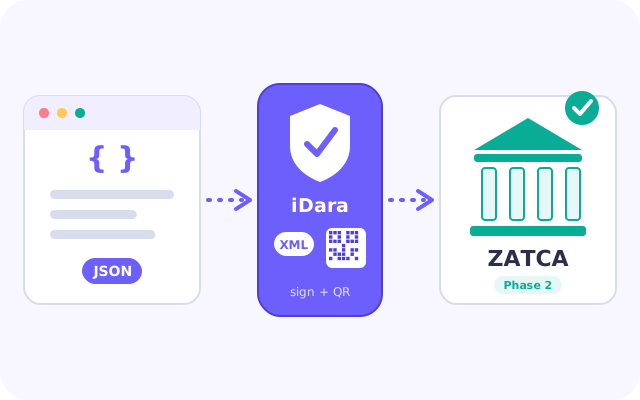
What we do for you
You send the invoice data. We do everything ZATCA-specific.
The four steps
Ready in four steps
Register
Create your account with your company data: names, VAT number, commercial registration number and national address. They go into your ZATCA certificate request and onto every invoice, so they must match what ZATCA has for you.
Onboard with ZATCA
Generate a one-time password (OTP) in the Fatoora portal and enter it in your dashboard. We create your keys, request your certificate from ZATCA and complete its compliance check. It takes a few minutes: do not submit it twice.
Create your token
Create your API token in the dashboard. You send it as a Bearer token with every call. If you lose it, you can create a new one and the old one stops working.
Send your invoices
Send each invoice as JSON to the invoice endpoint. We answer with ZATCA's result: the status, any warnings or errors, and the signed XML.
Invoice types
Standard and simplified invoices, credit and debit notes
Standard invoice (B2B)
Sent to ZATCA for clearance: ZATCA checks it and returns the stamped invoice. According to ZATCA's rules the buyer's details, including the address, are required.
Simplified invoice (B2C)
Reported to ZATCA. According to ZATCA's rules the buyer's address is not required.
Credit notes and debit notes are sent the same way, for both types.
Good to know
Sending the same invoice twice is safe
Send your own invoice number with each invoice. If ZATCA already accepted that number, you get the stored result back and nothing is sent again.
What ZATCA says, you see
ZATCA's warnings and errors come back unchanged in the answer, so you know exactly what to fix.
Arabic or English
Our messages are in Arabic. Add lang=en to a call to get them in English.
Your plan sets the limit
Each plan allows a number of invoices. Contact us for a free trial, or to move to another plan.
Ready to connect?
Create your account, or read the API documentation first.
Register API documentation